Local AI for Content Creators: Organize a Private Creative Archive
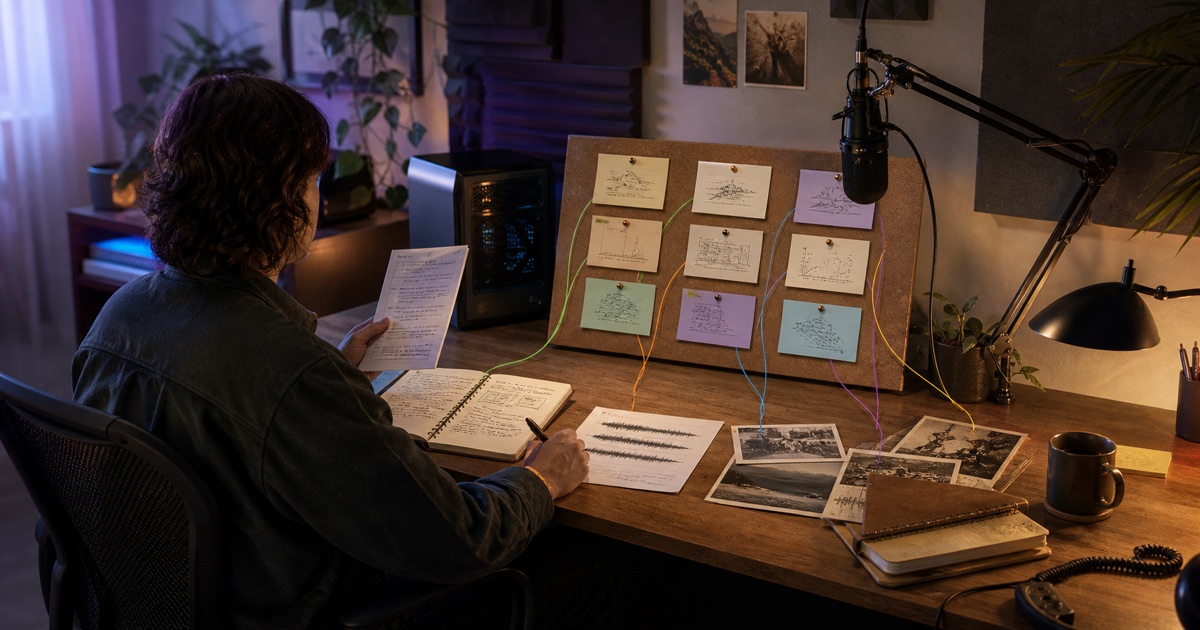
Content creators can use local AI to organize notes, transcripts, drafts, research, and references without first moving the archive into a vendor-hosted workspace. A good workflow builds a topic library, links every idea back to its source, drafts options rather than final answers, and leaves the creator in control of voice, attribution, and publication.
The archive remains useful after the chat ends because the result is an editable file, not a conversation trapped in another service.
Short answer
A local AI creative-archive workflow can:
- Inventory notes, transcripts, drafts, and reference files.
- Group material into a creator-defined topic taxonomy.
- Extract claims, stories, hooks, quotes, and unresolved questions.
- Link every library entry back to the source file.
- Draft several openings or outlines from selected material.
- Keep model context on the machine when a local model is used.
- Preserve both the original archive and a record of the run.
In Agenaxy, a creator can use Standard mode for flexible model choice or Vault Mode with a local model when unpublished material should stay on the same machine.
The archive is not a prompt
A creative archive is usually messy for good reasons. It contains half-finished ideas, personal notes, research fragments, interview transcripts, rejected drafts, screenshots, audio transcripts, and references gathered over time.
Flattening all of that into one giant prompt causes three problems:
- Provenance disappears. A promising line is separated from the file and context it came from.
- The model over-compresses. Distinct ideas become one generic summary.
- The archive moves. The creator may have to upload material to a service just to make it searchable in that service.
A local-first workflow treats the folder as durable source material. The agent can create indexes and artifacts around it while the archive continues to live where the creator keeps it.
The job: build a source-linked topic library
The homepage example begins with one request:
Organize this materials folder into a topic library, group it by theme, and draft three openings for the next video.
That request becomes much stronger when the output contract is explicit.
| Library field | Purpose |
|---|---|
| Topic | The creator's stable category, not a model-invented genre |
| Source file | A path back to the original note, draft, or transcript |
| Source location | Heading, timestamp, page, or line when available |
| Material type | Claim, anecdote, example, quote, visual, or open question |
| Readiness | Raw, needs verification, outlined, drafted, or published |
| Reuse note | Where the idea has appeared before |
The output might be topic-library.md or a spreadsheet, plus three draft openings in a separate file. The source files remain unchanged.
Why unpublished work deserves a deliberate boundary
Privacy and copyright are different questions. The U.S. Copyright Office explains that copyright covers published and unpublished works, while its copyright overview explains that protection begins when an original work is fixed in a tangible form.
Local processing does not create copyright, decide authorship, clear third-party material, or settle whether an AI-assisted output is protectable. What it can do is reduce unnecessary movement of unpublished source material and keep the creator's durable archive outside a vendor-hosted project space.
Before using any remote model or service, the creator should check its current terms, data controls, retention, and training settings. Those details vary by provider and product tier and can change. A local model avoids that remote model transfer for supported tasks.
A six-step workflow for a private creative archive
1. Decide the scope
Do not point an agent at an entire drive. Choose one project, season, client, or content stream. Define which folders are sources and where new artifacts may be written.
Exclude credentials, unrelated personal records, licensed material that should not enter the task, and files that belong to collaborators unless their use has been approved.
2. Create an inventory before interpreting the material
The first artifact should be factual:
- Filename and type.
- Date or project label when available.
- Length or duration.
- Whether text extraction succeeded.
- Duplicate or near-duplicate candidates.
- Missing or unreadable files.
This prevents a polished topic library from hiding the fact that several transcripts were never read.
3. Use the creator's taxonomy
Supply a small set of topics, formats, audiences, or editorial pillars. Allow the agent to propose a new category, but require it to mark that category as proposed instead of silently reorganizing the creator's system.
A useful hierarchy might be:
- Topic.
- Audience question.
- Format: essay, video, post, newsletter, or research note.
- Material type: claim, story, example, quote, visual, counterargument.
- Status: raw, verify, outline, draft, published.
The taxonomy should help the creator make decisions. It should not become busywork generated by the model.
4. Preserve provenance for every extracted idea
Every library entry should point back to the source file and, when possible, a heading, timestamp, page, or paragraph. If the entry combines several sources, list all of them.
Provenance matters for more than fact-checking. It helps a creator recover the original voice, avoid repeating a published idea, verify a quotation, and distinguish personal observations from third-party research.
5. Draft options from selected material
Ask for alternatives with stated constraints:
Using only entries marked “verified,” draft three openings for the next video. One should begin with the customer story, one with the counterintuitive finding, and one with the practical question. Cite the library entry used after each paragraph.
Options preserve editorial choice. A single “best” draft invites the model to average the archive into generic prose.
6. Review the artifact and run record
Agenaxy leaves the topic library and drafts as editable local artifacts. It also keeps a structured action record of the plan, tool calls, files read and written, and outputs produced.
The record can show which files entered the run. It cannot prove that a claim is true, a quotation is licensed, or the draft sounds like the creator. Those remain editorial checks.
Standard mode or Vault Mode?
Use Standard mode when the task can use an approved cloud or local model and the creator accepts the explicit connections involved. A selected cloud model receives the context sent for that assigned task; it does not receive unrelated chats or general access to the rest of the machine.
Use Vault Mode when only approved model and tool destinations should connect. Unapproved web search, uploads, connectors, scripts, and command destinations are blocked.
Use Vault with a local model when the model context should remain on the creator's machine. Vault can also trust a model on a server the creator controls, but that server receives the material sent to it.
For a detailed comparison, see Local AI vs Cloud Agents: What Leaves Your Machine?.
What a useful topic library should reveal
The artifact should make decisions easier. It can surface:
- Strong topics with multiple independent source files.
- Ideas that have plenty of notes but no clear audience question.
- Claims that need verification before publication.
- Repeated anecdotes or openings.
- Interviews and transcripts that have not been used.
- Gaps where a new example, visual, or counterargument is needed.
- Material already published in another format.
It should not claim that frequency equals quality. Ten similar notes can still represent one weak idea. The creator chooses what matters.
Keep human voice and source rights separate
An agent can reorganize and draft from material. It should not erase the distinctions among:
- The creator's own words and ideas.
- A collaborator's contribution.
- A quotation or reference from a third party.
- A model-generated transition or suggestion.
Keep attribution metadata when it exists. Mark generated drafts as drafts. Verify quotations and licenses before publication. Do not ask a model to imitate a living creator or to conceal the origin of borrowed material.
Local execution is a data-boundary choice. It is not a license to use every file in the folder.
Make the workflow reusable without freezing creativity
Save the mechanical parts:
- Allowed source folders.
- Inventory format.
- Topic taxonomy.
- Provenance fields.
- Duplicate-detection rules.
- Readiness states.
- Draft-output template.
- Review checklist.
Keep editorial choices open. The workflow can suggest three structures, identify source-rich themes, and flag gaps, but it should not automatically publish or rewrite the archive into one house style.
When the taxonomy changes, version it. Older artifacts should still explain how they were organized.
What this workflow does not guarantee
- It does not guarantee privacy if the device, approved server, or exported artifact is insecure.
- It does not make an approved remote model local.
- It does not determine copyright ownership, fair use, permission, or authorship.
- It does not verify every claim or quotation automatically.
- It does not preserve a distinctive voice without creator review.
- It does not make a model-generated draft ready to publish.
The useful result is a private, inspectable working system around the archive—not an automated content factory.
Key takeaways
- Treat the archive as durable source material, not one oversized prompt.
- Inventory files before asking the model to interpret them.
- Keep source links on every topic-library entry.
- Use a local model when unpublished task context should stay on the machine.
- Preserve originals and write the library and drafts as separate artifacts.
- Let the agent organize and propose; keep voice, rights, facts, and publication decisions with the creator.
FAQ
Can local AI organize my content ideas?
Yes. It can inventory files, apply a topic taxonomy, extract candidate ideas, link them back to sources, and draft outlines or openings. The creator should define the categories and review the result.
What can I include in a creative archive?
Notes, drafts, transcripts, research, reference images, recordings, outlines, and published-work indexes can all be useful. Include only material you are allowed to process and keep unrelated sensitive files out of scope.
Does a local model send my drafts to the cloud?
A model running on the same machine does not need to send its task context to a remote model. Other tools or deliberate exports can still move data, which is why the complete connection boundary matters.
Does Vault Mode keep everything offline?
Not automatically. Vault allows explicitly trusted destinations, including a server the user controls. Pair Vault with a local model and local tools when the run should remain on one machine.
Will Agenaxy change my original notes and drafts?
No. It works on copies of files supplied to the run and writes the topic library and generated drafts separately.
Can the agent publish content automatically?
This workflow is designed for organizing and drafting, not automatic publication. Publication introduces separate account, permission, rights, factual, and reputational decisions that should remain explicit.
Does using local AI settle copyright or authorship?
No. Local execution changes where processing happens; it does not decide copyrightability, ownership, permission, fair use, or authorship.
How do I stop the topic library from becoming generic?
Supply your own taxonomy, require source links, separate facts from generated suggestions, ask for multiple options, and review whether the output preserves the distinctions and voice in the original material.